Live demo on our servers
We show you the application live, on our servers, at a time that suits you.
Request a demo

Save, organise and run commands, scripts and SSH sessions from one desktop console
Desktop application for engineers: a foldered tree of saved local commands, scripts and remote SSH commands, output captured in tabs, PDF export, daily logs and profiles.
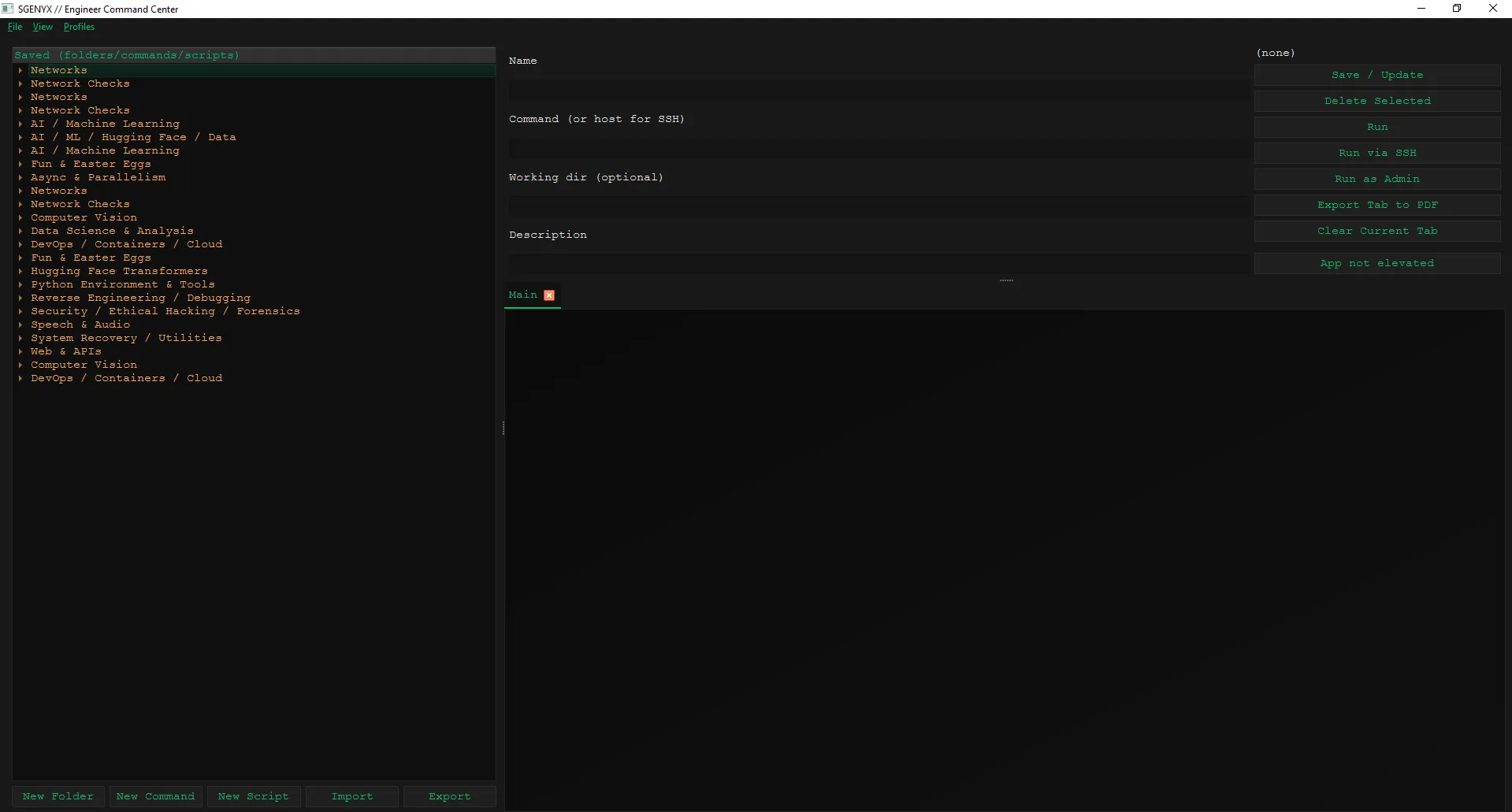
SGENYX Engineer Command Center is a single-file PySide6 desktop application for saving, organising and running local commands, command sequences and remote SSH commands in a foldered tree of profiles.
Each run opens an output tab with captured stdout and stderr; the current tab can be exported to PDF, and every day's activity is written to a log file. Profiles are plain JSON files, so a team can import and export them.
On Windows the application can relaunch itself with administrator rights for commands that need elevation. Execution is threaded, so the interface stays responsive.
Engineers keep diagnostic commands, maintenance scripts and SSH one-liners in text files and chat history, and run them by hand on every machine.
Output disappears with the terminal window, so there is no record of what was run, when and with what result.
Commands, scripts and folders are saved in profiles and run with one click, locally or over SSH; a whole folder can run in sequence.
Output stays in tabs, goes to PDF when needed and is logged daily.
What the application does, as shown in the product tour.
Folders, single commands (name, command, working directory, description) and scripts as ordered command sequences.
Run commands locally with captured stdout and stderr.
Run commands over SSH when paramiko is present, or launch PuTTY as a fallback on Windows.
Run a script step by step, or run all commands inside a folder in sequence.
Create and switch between multiple profiles stored as JSON files; import and export profiles.
Each run opens a tab; export the current tab's output to PDF (reportlab).
Activity saved to logs/YYYY-MM-DD.txt.
Optional relaunch as administrator.
Threaded execution, dark console-style theme with monospace output, zoomable output.
Select a screen to enlarge it.
All data shown in the demo recordings, product tours and screenshots is fictitious. Any resemblance to real persons, companies or events is purely coincidental.
Full product tours. They also serve as training for every role.
All data shown in the demo recordings, product tours and screenshots is fictitious. Any resemblance to real persons, companies or events is purely coincidental.
We show you the application live, on our servers, at a time that suits you.
Request a demoOn the client's request we also deliver this product as a mobile app for Android and iOS.
Request the mobile appThe complete source code of this product with documentation, ready for your team to maintain and develop further. Delivered under a separate agreement and price.
Request a quoteDeployment model is agreed per project. Ask us about on-premise and hosted options for this product.
Only integrations verified in the product are listed. Further interfaces are scoped per project.
One place for the team's commands and scripts, with a record of every run.
Repeatable diagnostics on local and remote machines.
Profiles as plain JSON that can be versioned and shared.
How an engagement runs, from the first call to go-live.
Licensed per installation; terms and pricing on request.
Requirements: Python 3.8+, PySide6, optional paramiko and reportlab.
Other SGENYX products used in the same environments.
Send a licence request and we will reply with terms, pricing and installation requirements.


