
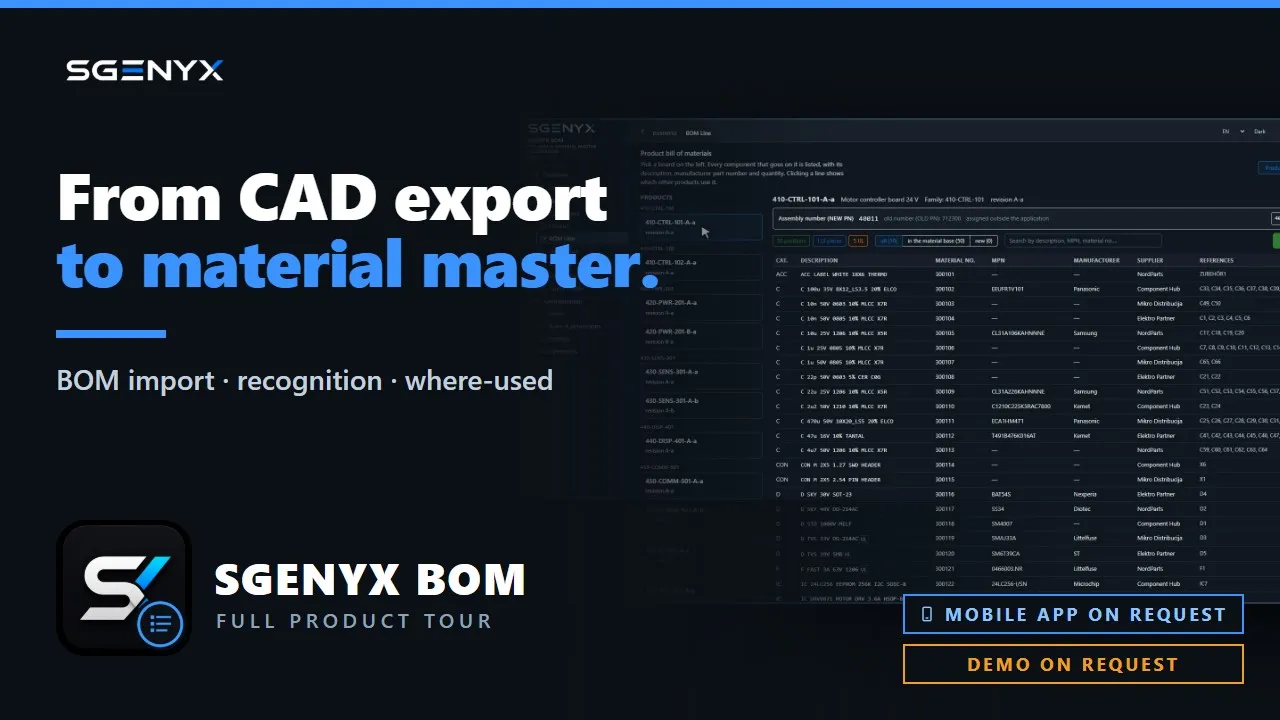
Enterprise solution AI ready Mobile app on request Source code on request

SGENYX BOM

From the CAD export to a clean material master

Turns the bill of materials exported from your CAD tool into a clean, searchable material master with assembly numbers, where-used and an audit trail, on your own server.

SGENYX BOM
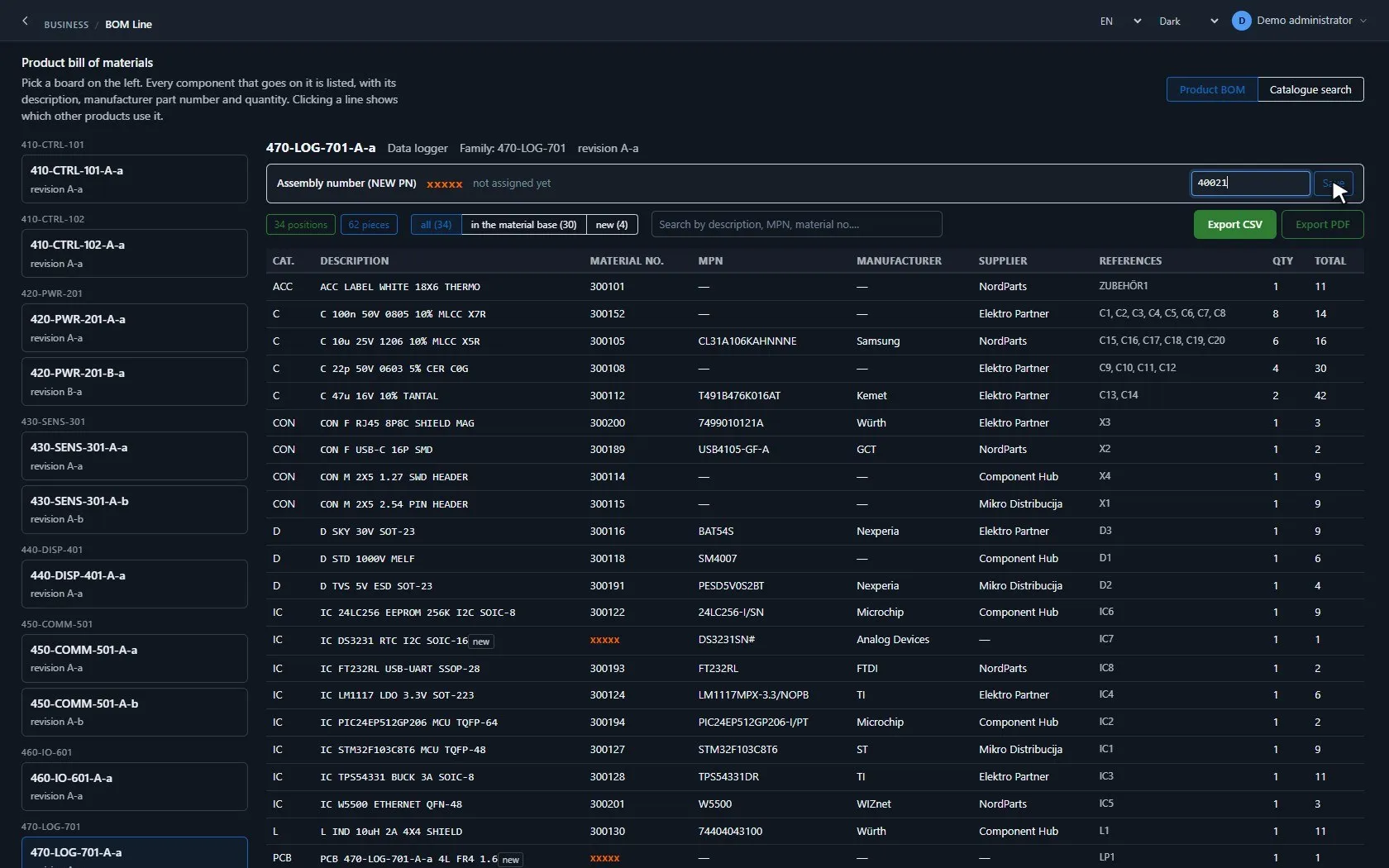
Product bill of materials with assembly number, positions, quantities and where-used.
Category
Engineering data
Availability
Available
Deployment
On-premise (your own server)
Interface languages
EN · SR · DE
Platforms
Web browser · Desktop, Android and iOS on request
Source code
On request, separate agreement
AI
Any provider · Local model
Licence
Enterprise agreement
Pricing
On request
Overview

SGENYX BOM turns the bill of materials exported from your CAD tool into a clean, searchable material master. Components carry material codes, manufacturer part numbers and categories; products are organised by family and revision with assembly numbers (new and old part numbers) and their origin.

A revised BOM is imported live: lines are recognised against the base, doubtful lines get catalogue candidates, and the result is approved before it becomes the new revision. Every assembly number entered carries a full audit trail.

The product runs on your own server in three languages (English, Serbian, German) with a light or dark theme.

This product is also available as standalone software. Standalone software

01

The business problem

CAD exports arrive as spreadsheets with inconsistent descriptions, so the same part appears under several names and nobody can tell where a component is used.

Assembly numbers are assigned by hand, and a revised BOM has to be compared line by line.

02

The SGENYX approach

A description standard and a CAD vocabulary normalise lines on import; catalogue search spans every part with a jump into each product that uses it.

Where-used on every BOM line, the existing/new filter and the audit trail answer the questions purchasing, engineering and quality keep asking.

SGENYX BOM

Functional capabilities

What the application does, as shown in the product tour.

  1. 01

    Material master

    Components with material codes, manufacturer part numbers and categories.

  2. 02

    Products by family and revision

    Assembly numbers (NEW PN / OLD PN) and their origin.

  3. 03

    Product BOM

    Positions, pieces, not-populated and UL safety-critical parts, where-used for every line.

  4. 04

    Assembly numbers with audit trail

    The existing/new filter and assembly numbers entered with a full audit trail.

  5. 05

    Catalogue search

    Search across every part with a jump into each product that uses it.

  6. 06

    Live BOM import

    Eagle BOM import: recognition against the base, catalogue candidates for a doubtful line, approval.

  7. 07

    Description standard and lexicon

    DSS rules and the CAD vocabulary.

  8. 08

    Administration

    Users, roles and permissions, settings, operations with health checks and backups.

  9. 09

    Three languages and themes

    English, Serbian, German; light or dark theme.

SGENYX BOM

Product screenshots

Select a screen to enlarge it.

SGENYX BOM
Product bill of materials with assembly number, positions, quantities and where-used.
SGENYX BOM
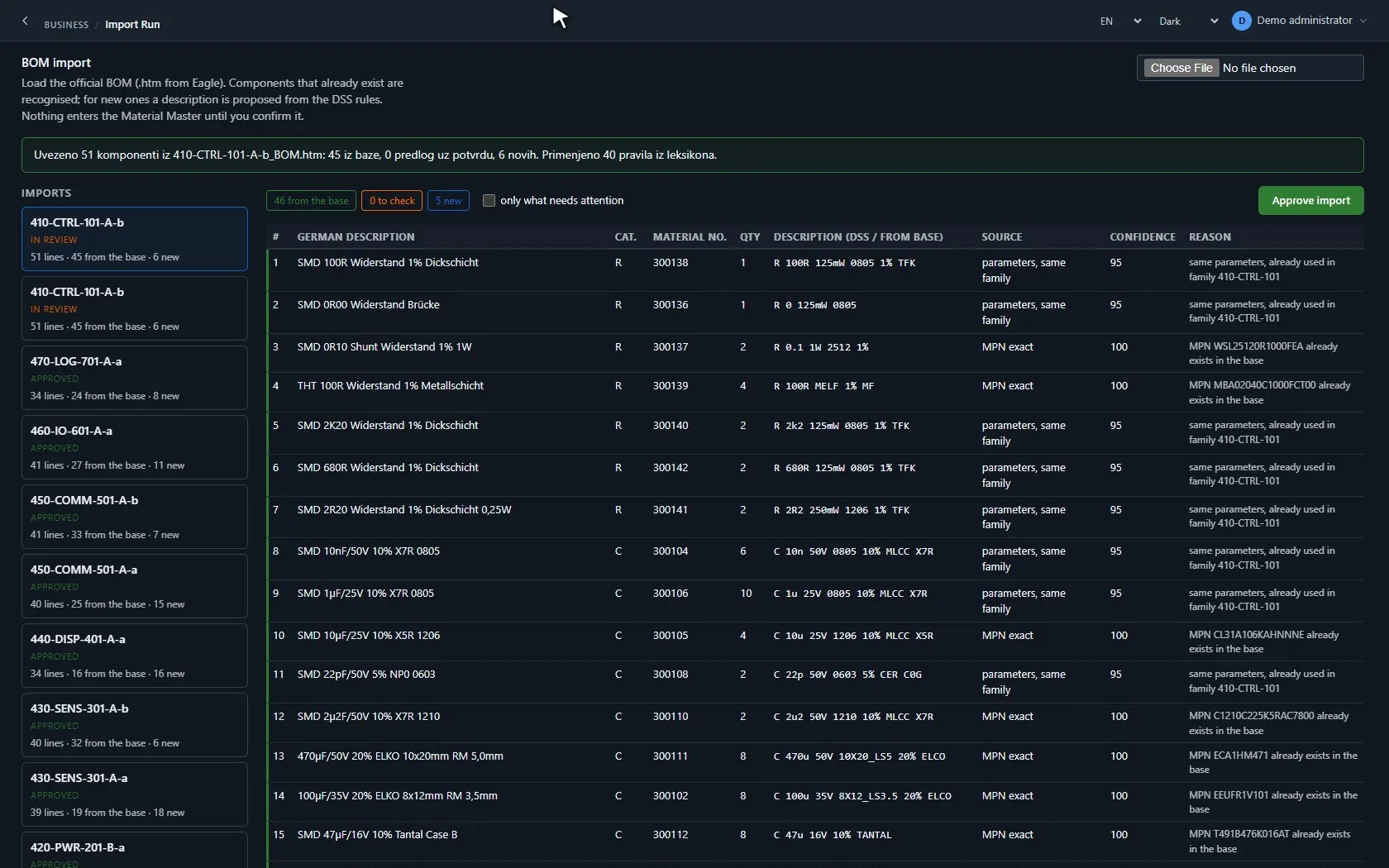
Importing a revised BOM: every line recognised against the base before approval.
SGENYX BOM
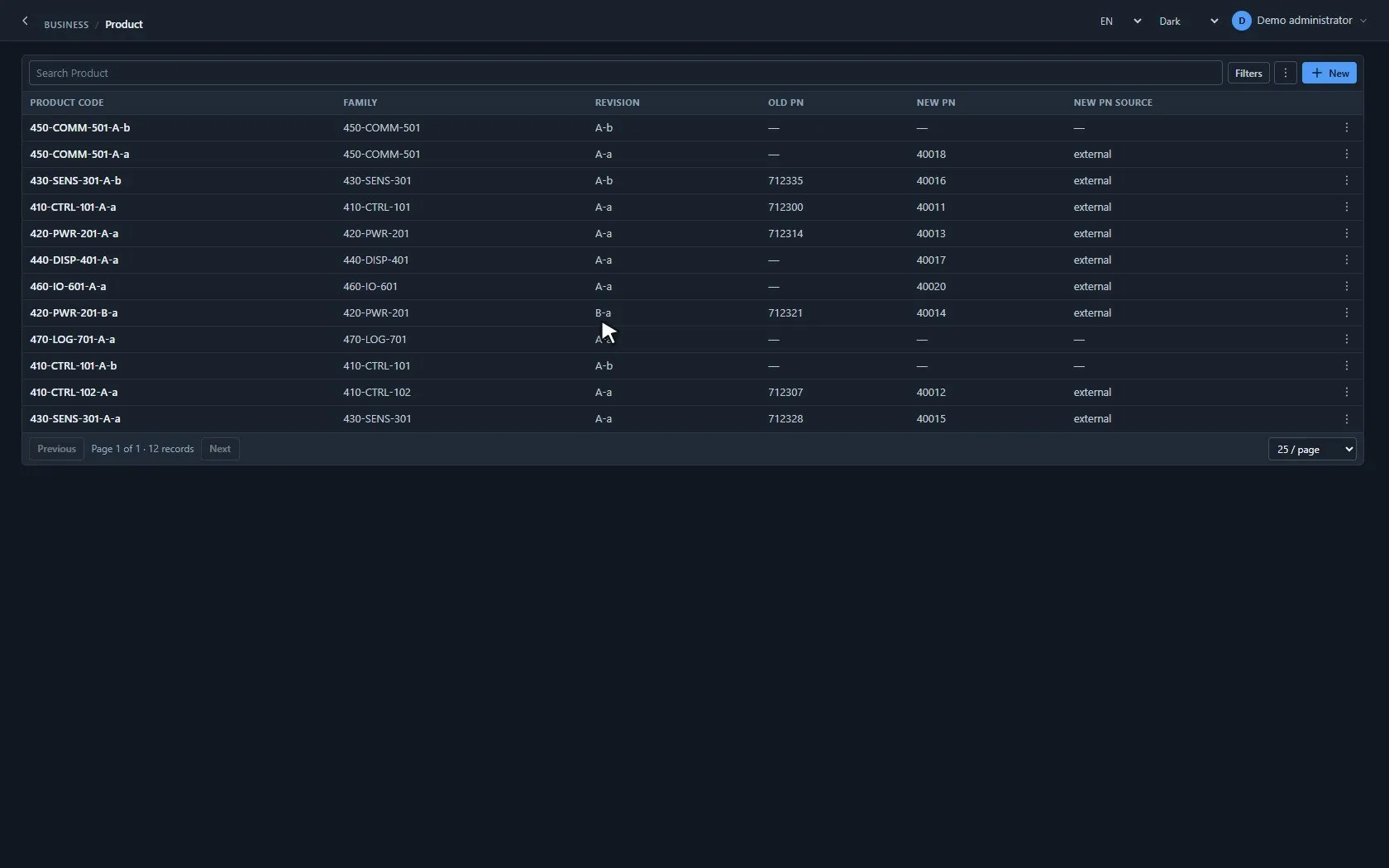
Products by family and revision in the catalogue.
SGENYX BOM
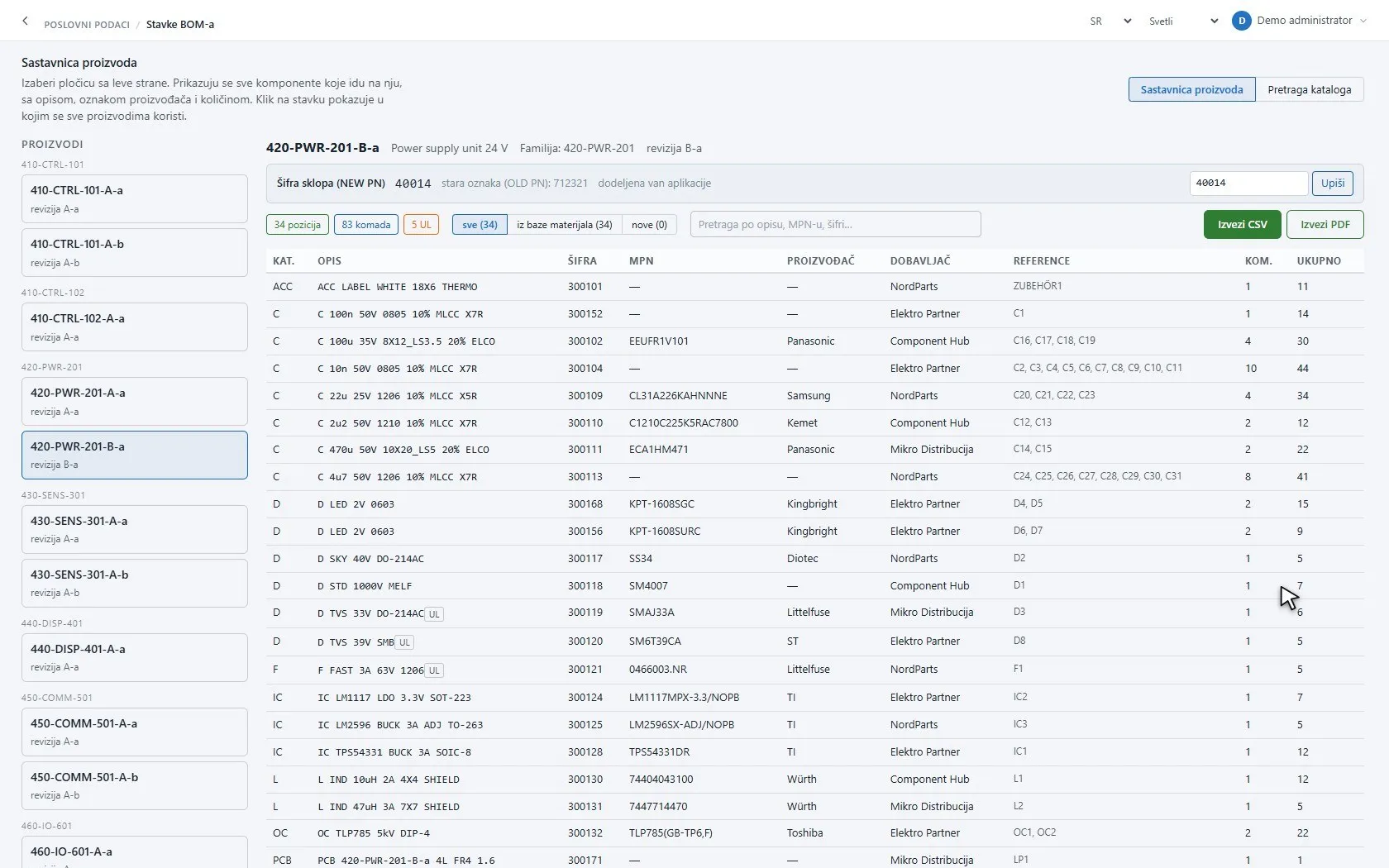
The product BOM in Serbian, light theme.

All data shown in the demo recordings, product tours and screenshots is fictitious. Any resemblance to real persons, companies or events is purely coincidental.

SGENYX BOM

Video demonstration

Full product tours. They also serve as training for every role.

SGENYX BOM · 10:33 min · Screens: EN

SGENYX BOM – from the CAD export to a clean material master | full product tour

Material master, products by family and revision with assembly numbers, product BOM with where-used, catalogue search, a live Eagle BOM import with recognition and approval, description standard and lexicon, administration, three languages.

Chapters 16
  1. 0:00 SGENYX BOM
  2. 0:03 Intro
  3. 0:57 Sign-in and dashboard
  4. 1:30 Material master
  5. 2:39 Product bill of materials
  6. 3:49 New parts and the assembly number
  7. 4:42 Catalogue search
  8. 5:28 Importing a revised BOM
  9. 6:53 The new revision
  10. 7:22 Description standard and lexicon
  11. 8:02 Administration
  12. 8:59 Theme and language
  13. 9:24 What you get
  14. 9:46 Who it is for
  15. 10:04 How we start
  16. 10:26 Contact

All data shown in the demo recordings, product tours and screenshots is fictitious. Any resemblance to real persons, companies or events is purely coincidental.

On request

Demo, mobile app and source code

Live demo

Live demo on our servers

We show you the application live, on our servers, at a time that suits you.

Request a demo
Android · iOS

Mobile app

On the client's request we also deliver this product as a mobile app for Android and iOS.

Request the mobile app
Separate agreement

Source code

The complete source code of this product with documentation, ready for your team to maintain and develop further. Delivered under a separate agreement and price.

Request a quote
SGENYX BOM

Deployment and integration

Supported deployments

  • On-premise (your own server)

Integrations

  • Eagle BOM import (CAD export)

Only integrations verified in the product are listed. Further interfaces are scoped per project.

Target industries

SGENYX BOM

Business benefits

  1. 01

    One material master instead of parallel spreadsheets per product.

  2. 02

    Where-used and audit trail for every part and assembly number.

  3. 03

    Revised BOMs imported with recognition and approval instead of manual comparison.

SGENYX BOM

Implementation and engagement

How an engagement runs, from the first call to go-live.

  1. 01

    Live demonstration with your own BOMs on request.

  2. 02

    Import format is confirmed against your CAD export.

  3. 03

    On-premise installation on your own server.

SGENYX BOM

See SGENYX BOM with your own data

Request a live demonstration or a written proposal. We reply by e-mail.